
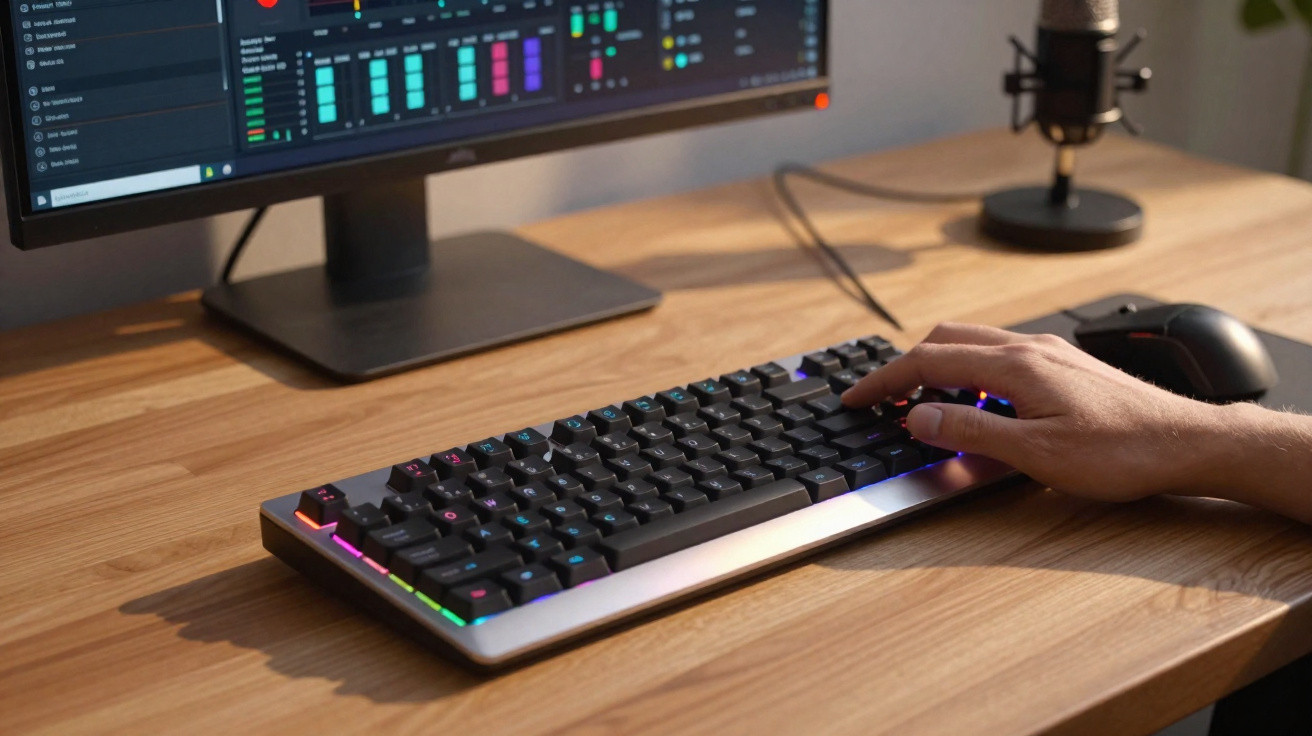
Does adding a display and a virtual Stream Deck alter the way you use a keyboard? To find out, we tested the Corsair Vanguard Air 99 Wireless, a high-end optical keyboard.
Regular Twitch viewers will almost certainly know the Stream Deck: the small control pad used by many content creators to keep shortcuts to their preferred settings within easy reach. Switching scenes, triggering an intro sequence or playing a sound effect - any preset action is launched with a single press. However, this device is useful in plenty of other contexts too; you do not need to work in front of a camera to benefit from it.
This matters because Corsair acquired Elgato in 2018 and has since brought some of its features to selected products, including today’s subject, the Vanguard Air 99 Wireless keyboard. Sleek and versatile, it aims to deliver for both gaming and productivity. Does it genuinely excel at both? This review has the answer.
Corsair Vanguard Air 99 Wireless price
The Corsair Vanguard Air 99 Wireless is a premium keyboard priced at €280 on the official website and through partner retailers. It comes in two colours, black and white. In both versions, the macro keys along the left-hand side remain blue to create contrast. Their slightly textured finish also makes them easy to identify by touch.
A fully featured yet “compact” design
You are probably familiar with 75–80% keyboards, which omit the number pad, 65% models without Fn keys, and 60% versions without arrow keys. But what about the 99% layout? No major key is missing here; instead, the arrangement is tighter to keep the overall footprint down. Even with its six side-mounted macro keys, its 425.63 mm x 137.63 mm dimensions are more compact than those of a conventional keyboard - certainly more so than my Logitech G915. A few keys are nevertheless combined, including Insert and Print Screen, making it closer to a 96% layout. Taking a standard screenshot therefore requires two key presses rather than one.
There are extra controls, too. The left edge houses six macro keys, labelled S1 to S6, while the top-right corner includes a Stream Deck button, a Gaming Mode shortcut, a display and an exceptionally well-made notched dial. These are the keyboard’s defining features, which I will cover in greater depth later.
The backlighting is another success. Its curved lenses produce attractively soft, even illumination, shining through both the gaps between the keys and the legends so they remain clearly visible at night. Only the third-level labels, accessed with Fn, are substantially harder to see.
At the rear, there is a compartment for storing the 2.4 GHz USB dongle, a Windows/Mac switch, and another selector for changing from the proprietary wireless connection to Bluetooth, allowing the keyboard to be used anywhere. There are also three Bluetooth profiles, so you do not need to pair everything again whenever you reconnect. Lastly, two-stage feet underneath let you adjust the keyboard’s angle to suit your preference.
The Vanguard Air 99 has a low-profile design, with short-travel keys to reduce its height. This is probably why Corsair did not see fit to include a wrist rest. I was not bothered by its absence, although it could prove uncomfortable depending on your sensitivity and desk setup.
Quality construction and a light typing feel
The Vanguard Air 99 WL combines an aluminium top plate, which gives it a premium feel, with a plastic lower shell to keep the weight lower - although it still weighs 928 g. Five sound-dampening layers sit between the two, while a gasket-mounted switch assembly cushions each key press.
Since they have come up, the switches are Corsair’s own OPX units. These optical switches are more responsive than conventional mechanical alternatives, helping to justify the keyboard’s premium positioning. FlashTap SOCD, meaning Simultaneous Opposite Cardinal Directions, also handles conflicts when two opposing keys are pressed at once, improving movement responsiveness - for example, when peeking around a corner before returning to cover. FPS players will appreciate it.
Without burying you in tedious technical specifications and occasionally questionable marketing claims - such as the benefit of an 8,000 Hz polling rate outside esports - my personal verdict is extremely positive. Whether writing articles day to day or tackling more demanding gaming sessions, the Corsair Vanguard Air 99 Wireless is a genuine pleasure to use. Typing is light, the sound remains gentle even when hammering away, the return is responsive, and gaming performance is excellent. It will not magically improve my skill level, though; one should not ask too much of it.
Corsair Web Hub, the iCUE replacement
Corsair is gradually replacing its proprietary iCUE software for peripheral configuration with a web-based version called Web Hub. After all, we all want to need an internet connection to change a keyboard’s backlighting, do we not? Fortunately, it can be installed as a web app.
Corsair states that Chrome, Edge or Opera must be used for it to work. Naturally, I tried Firefox, my main browser, out of sheer contrariness, and can confirm that it does not work. I then installed Vivaldi, assuming any Chromium-based browser would do, only to be disappointed again. In short, install Google Chrome. Even then, I must admit that I could not get it working on Linux.
Once connected, you can change the backlighting behaviour, polling rate, Gaming Mode settings and key assignments. This is particularly useful for replacing the Copilot key and restoring a CTRL key. Keycaps are included in the box to adapt the layout, but you will need to swap them by hand because no dedicated puller is provided.
When the keyboard is connected via cable - and only then, something Corsair does not make clear - you can also customise the small LCD display. For instance, you can loop a GIF of your choice, provided it is neither too large nor too heavy. It is a gimmick, and more detailed battery information, such as an exact percentage, would have been far more useful.
The Corsair Vanguard Air 99 Wireless features that matter
Now for the real substance: the little extras that make the Vanguard Air 99 WL so interesting. In my view, there are three: the dial, Gaming Mode and Stream Deck mode.
I mentioned the dial’s build quality earlier without explaining how it works, and that is where Corsair’s ingenuity really shows. At first glance, it appears to control volume, which would already be useful. Look closer, though, and you find four modes, each available through a simple keyboard shortcut: volume control, backlighting adjustment, zooming, and scrolling the current page. It is brilliant.
Gaming Mode is much easier to understand. One press puts you into serious mode: a specific polling rate, subdued fixed lighting, and system keys disabled to avoid an untimely return to the desktop during a panic-stricken moment in an overly tense fight. Naturally, a visit to Web Hub lets you customise all of these behaviours.
Then there is the Stream Deck side of things. Alongside the six macro keys on the left, a dedicated key can display a virtual Stream Deck on your screen, in whatever size you choose, once the software has been installed. It is useful for content creators, but also for anyone else. The Stream Deck’s power and versatility are impressive. It can keep shortcuts to your favourite applications, most visited websites, functions in your most-used software, macros and more close at hand. Let us be honest: not everyone will need it, but controlling Philips Hue lighting and your Discord conversation from one place is a significant convenience.
Average battery life
On battery life, Corsair claims “up to 57 hours without RGB”, but who uses their keyboard like that? Without pushing performance settings too hard - after all, an 8 kHz polling rate may be excessive for chatting on WhatsApp or Signal - you can expect 25 to 30 hours. That is decent, but no more. You will still need to plug in a cable roughly once a week.
Our verdict on the Corsair Vanguard Air 99 Wireless
The review is over, and the time has come to return this keyboard to Corsair. I have to admit that it breaks my heart a little. From typing comfort and gaming performance to the dial’s precision and the added Stream Deck shortcuts, the Vanguard Air 99 Wireless met my expectations and even managed to surprise me. It is an excellent everyday keyboard that also happens to look very good on a desk.
It does, however, have one major drawback: its price. At €280, you can now find magnetic keyboards such as the Keychron Q6 HE Wireless, to name just one. Yes, it does not reach 8,000 Hz, but unless you are a professional competitor or a genuine touch-typing virtuoso, you are unlikely to notice the difference.
Would I buy it with my meagre freelance income? I am not sure. Still, it has made me strongly want to add a Stream Deck to my desk, to enjoy everything it can bring to day-to-day use once properly configured. And if it arrives in a cheaper version without a display, I might well be tempted.
Corsair Vanguard Air 99 Wireless
€280
Overall score
8.5/10
What we like
- Typing comfort and gaming performance
- Excellent-quality dial
- Built-in Stream Deck options
- 2.4 GHz + 3 possible Bluetooth connections
- Compact footprint for the number of keys
What we like less
- Web Hub is limited to Chrome, Edge and Opera
- The display could be put to better use
- High price
Discover the product






Comments
No comments yet. Be the first to comment!
Leave a Comment