
You spot it when sunlight catches the display at exactly the right angle: a thin grey coating around the edge of the television, a soft halo of fluff near your laptop’s vents, or a small dust beard trailing from the Wi-Fi router. You brush it away with your sleeve, feel a little ashamed, and tell yourself you will “properly clean” your devices at the weekend. Then the weekend arrives. You watch programmes, scroll, leave your phone charging on the bedside table… and the dust returns as though it knows where you live.
Eventually, you unplug the computer and notice the cables. They are thick with fluff, almost furry, and that is when you wonder why dust accumulates so quickly. Why does it seem impossible to keep on top of it, however often you dust?
One small routine can quietly alter the pattern.
Why electronics attract so much dust
Look around any living room or home office when light pours in. Tiny particles drift through the beam, move slowly through the air, then settle on the television, games console or soundbar as if an unseen force is drawing them in. Electronics are warm, frequently black, and often left running, which makes every loose fibre seem to land there. After wiping them down, they look smart for a day or two before the same dull grey layer reappears like an unwelcome sequel.
Dust is not only unsightly. It blocks vents, holds in heat and can gradually reduce the lifespan of your equipment.
A friend once opened his gaming PC after a year, expecting to find only a modest amount of dust. Instead, it resembled the inside of a vacuum cleaner bag. Lint covered the fans, the graphics card sat beneath a soft layer of fluff, and the filters were completely clogged. The computer had become hotter, noisier and more prone to crashing. He assumed it was “getting old”. In reality, it was largely being suffocated.
After he removed the buildup using compressed air, its temperatures fell by almost 10°C. The crashes ended too. All because of dirt that is easy to miss from one day to the next.
Electronics collect dust because they produce a mild airflow and a slight static charge. Heated air rises through their vents, drawing in fresh room air along with fibres, hair and fine particles. Plastic and glass with an electrostatic charge allow those particles to adhere more readily. Screens, speaker grilles, keyboards and even the rear of a television all act like magnets for this airborne mixture. If your coffee table stays cleaner for longer than your monitor, you are not imagining it. Simply being switched on makes your devices draw in more dust.
The simple electronics cleaning step that reduces dust
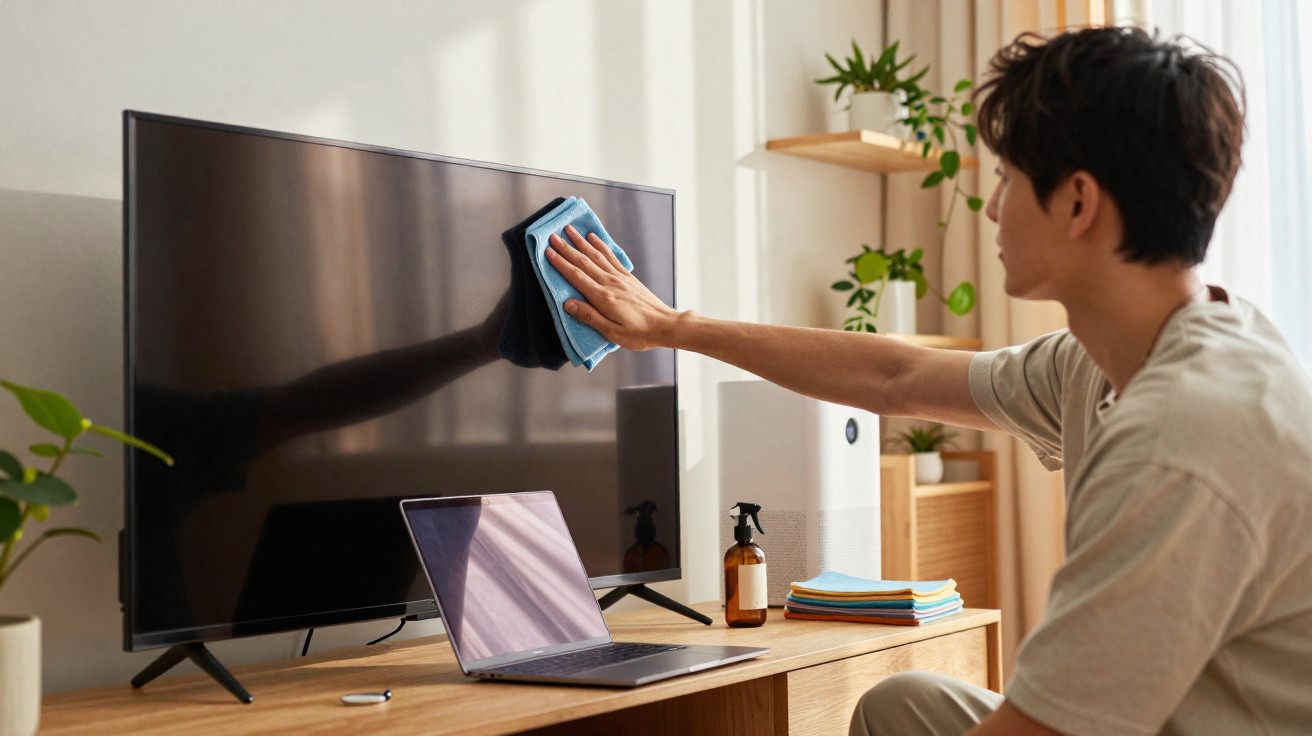
The most effective solution is not an expensive gadget. At least once a week, wipe your electronics with a lightly damp microfibre cloth containing a drop of mild soap, then follow with a dry microfibre cloth. That is all it takes. This brief regular routine disrupts the static charge and leaves surfaces clean enough for dust to struggle to cling to them.
The first cloth removes fingerprint oils and airborne cooking grease, both of which help dust stick to surfaces. The second dries and buffs the device, creating a low-static finish. A television takes only two to three minutes, while a laptop takes even less time. When done properly, dust appears to stop attaching itself and instead simply falls away.
This is where many people go wrong. Either we wait until the dirt becomes obvious, or we use unsuitable products too aggressively: kitchen roll, harsh sprays or glass cleaner applied directly to the screen. These can damage delicate coatings, force moisture into openings or leave behind residues that collect even more dust later.
Realistically, nobody follows this routine every day. A more manageable schedule is a quick clean once a week and a more thorough clean once a month. It is an approach you can maintain without coming to resent it. Once you see that a fast wipe keeps the television clean for days rather than hours, it becomes surprisingly satisfying.
“People think dust is a cleaning problem,” a repair technician told me. “For electronics, it’s a cooling problem first. A clean device runs quieter, cooler, and usually lives longer. You don’t need to be perfect. Just consistent.”
- Keep two microfibre cloths: one barely damp with a drop of mild soap and one dry.
- Switch off and unplug devices before cleaning them.
- Use gentle, straight strokes rather than circular motions, particularly on screens.
- Quickly wipe the cables and rear of each device last, as this is where dust gathers first.
- Choose an easy prompt, such as: “Sunday coffee = 5 minutes of tech wipe-down.”
A small electronics cleaning ritual for a fresher room
The unexpected benefit is not merely seeing less dust on your displays. The entire room can seem different. The television no longer has a grey outline, laptop keys no longer feel grubby after a day of use, and the router on the shelf stops looking as if it has grown a fur collar. This modest, repeated task interrupts the cycle in which dust gathers for weeks before requiring a tiring deep clean you have been avoiding.
You may also notice another shift: clean technology tends to make you treat it with greater care. You are more inclined to close the laptop rather than throw clothes over it, or leave enough room around the console for it to ventilate properly. That quiet habit spreads to other areas. You clean the charging station, then once a month pull the bedside table forward to deal with the eerie dust nest behind it.
Most of us know the moment of moving a television or desk and discovering the dense grey layer concealed behind it. It is a reminder that dust does not just sit on visible surfaces; it quietly accumulates wherever your devices are kept. The simple reality is that nobody will make their home into a dust-free laboratory. The air will always contain fibres and particles, and sunlight will always expose them from the least flattering angle. The difference comes from reducing how much dust adheres and how long it remains.
One cloth, one fast wipe, once each week. It is small enough to become a habit. In time, your electronics make fewer complaints, the room appears cleaner with very little work, and the familiar guilt of spotting a dusty television gives way to something else: a small but deeply human feeling of control amid everyday chaos.
| Key point | Detail | Value for the reader |
|---|---|---|
| Break the static | Use a barely damp microfibre cloth with a drop of mild soap, followed by a dry cloth | Less dust sticks, and devices remain clean for longer with little effort |
| Consistency beats intensity | Carry out brief weekly wipe-downs rather than occasional, exhausting deep cleans | Reduced dust buildup, lower stress and improved device performance over time |
| Think cooling, not just cleaning | Cleaning vents, fans and cables helps prevent overheating and noise | Extends the life of electronics and reduces crashes or slowdowns |
FAQ:
- Question 1 Can I use ordinary glass cleaner on my TV or monitor to reduce dust?
- Answer 1 It is best not to. Many screens have sensitive coatings that may not tolerate strong cleaning products. Instead, put a tiny amount of water with a drop of mild soap onto a microfibre cloth, never directly onto the screen.
- Question 2 Will an anti-static spray keep dust off my electronics for longer?
- Answer 2 Certain anti-static sprays can be helpful on plastic surfaces, but they are not always suitable for screens or vents. Regular cleaning with a microfibre cloth already reduces static significantly without leaving unfamiliar residues.
- Question 3 Is compressed air enough to remove dust from my devices?
- Answer 3 Compressed air is helpful for clearing dust from vents, keyboards and fans. However, it does not remove the greasy film that helps dust adhere to exterior surfaces, so the straightforward two-cloth wipe is still needed.
- Question 4 How often should I clean a gaming PC or console to prevent dust-related overheating?
- Answer 4 For most people, a light weekly exterior wipe and a more thorough vent and fan clean every 2–3 months is sufficient. If you smoke or have pets, you may need to clean a little more frequently.
- Question 5 Does an air purifier genuinely help to keep dust off electronics?
- Answer 5 It can lower the amount of airborne dust, especially in smaller rooms, meaning devices accumulate grime more slowly. You will still need to clean them, but the time between wipe-downs may feel more forgiving.




Comments
No comments yet. Be the first to comment!
Leave a Comment